
In ExclusionCheck, if you require just a search of the Social Security Death Master File (SSDMF), you will need to begin by uploading your file under Batch Search (New) - Where do I find New Batch Search?
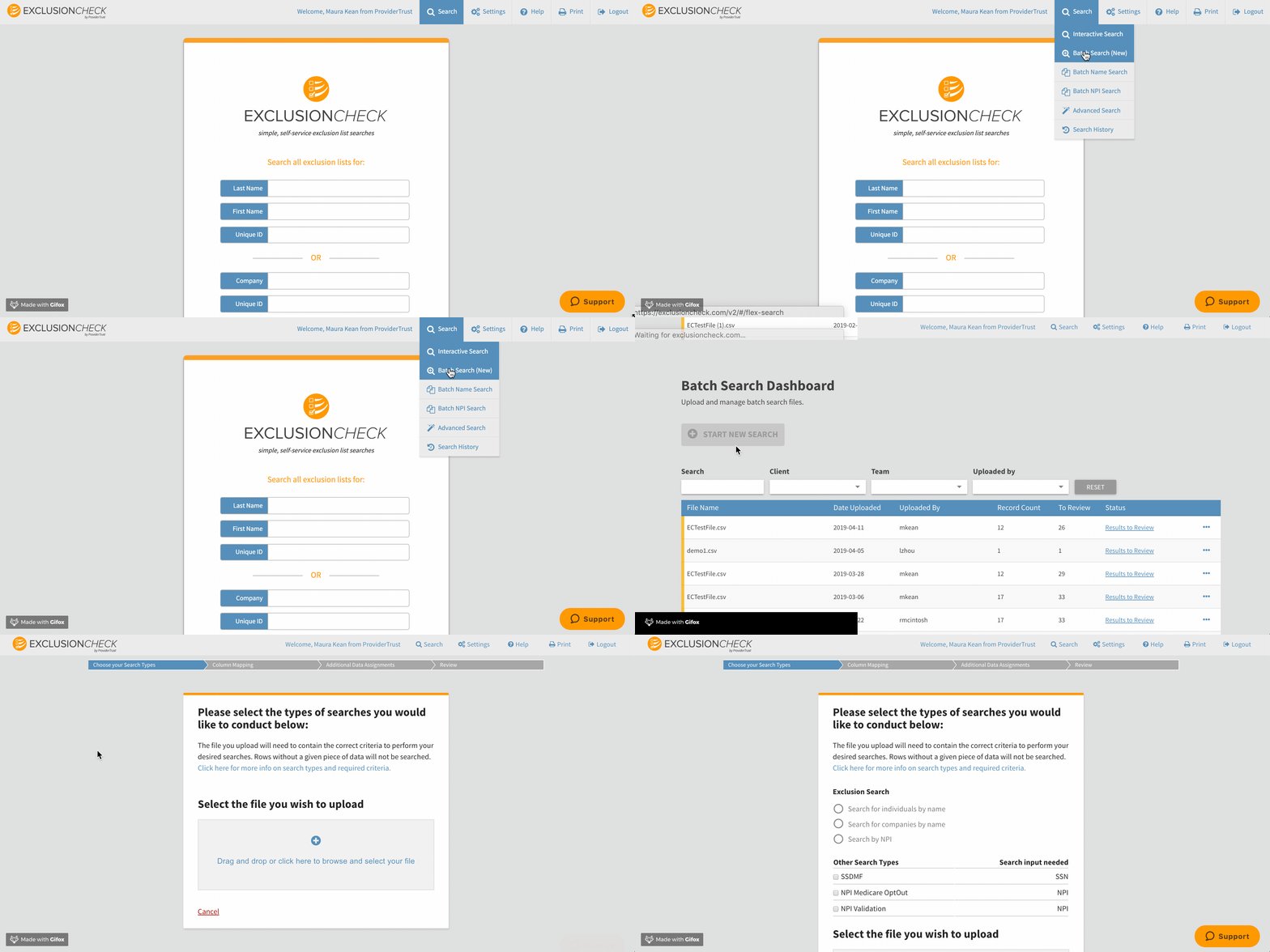
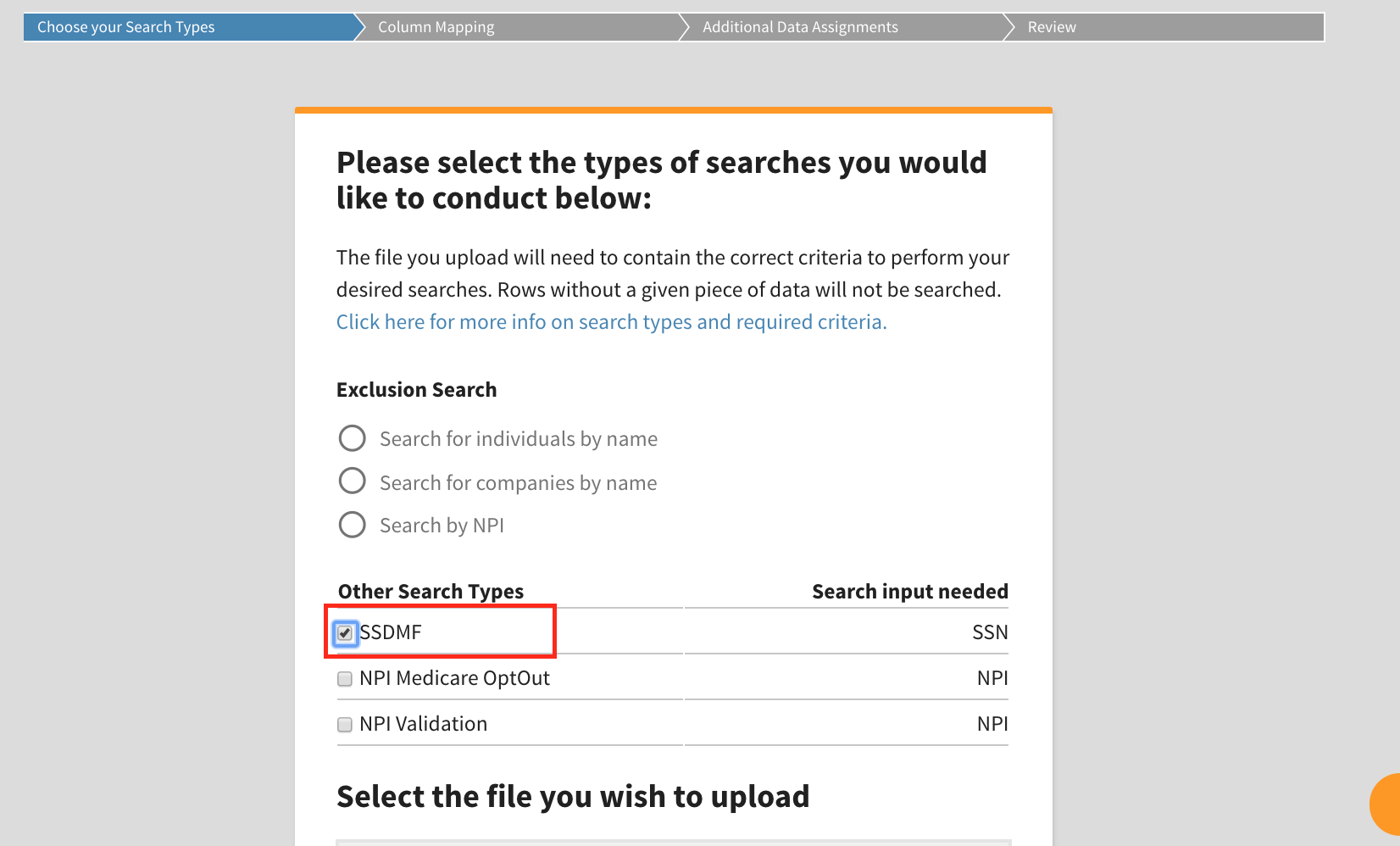
After you've selected Start New Search, you must designate the types of search(es) you wish to perform. If you only choose to search against the SSDMF, you will leave Exclusion Search blank and only toggle SSDMF.
Once you've chosen your .CSV File to upload or dragged and dropped your file into the grey box below, you must next designate which column on your file represents social security numbers.
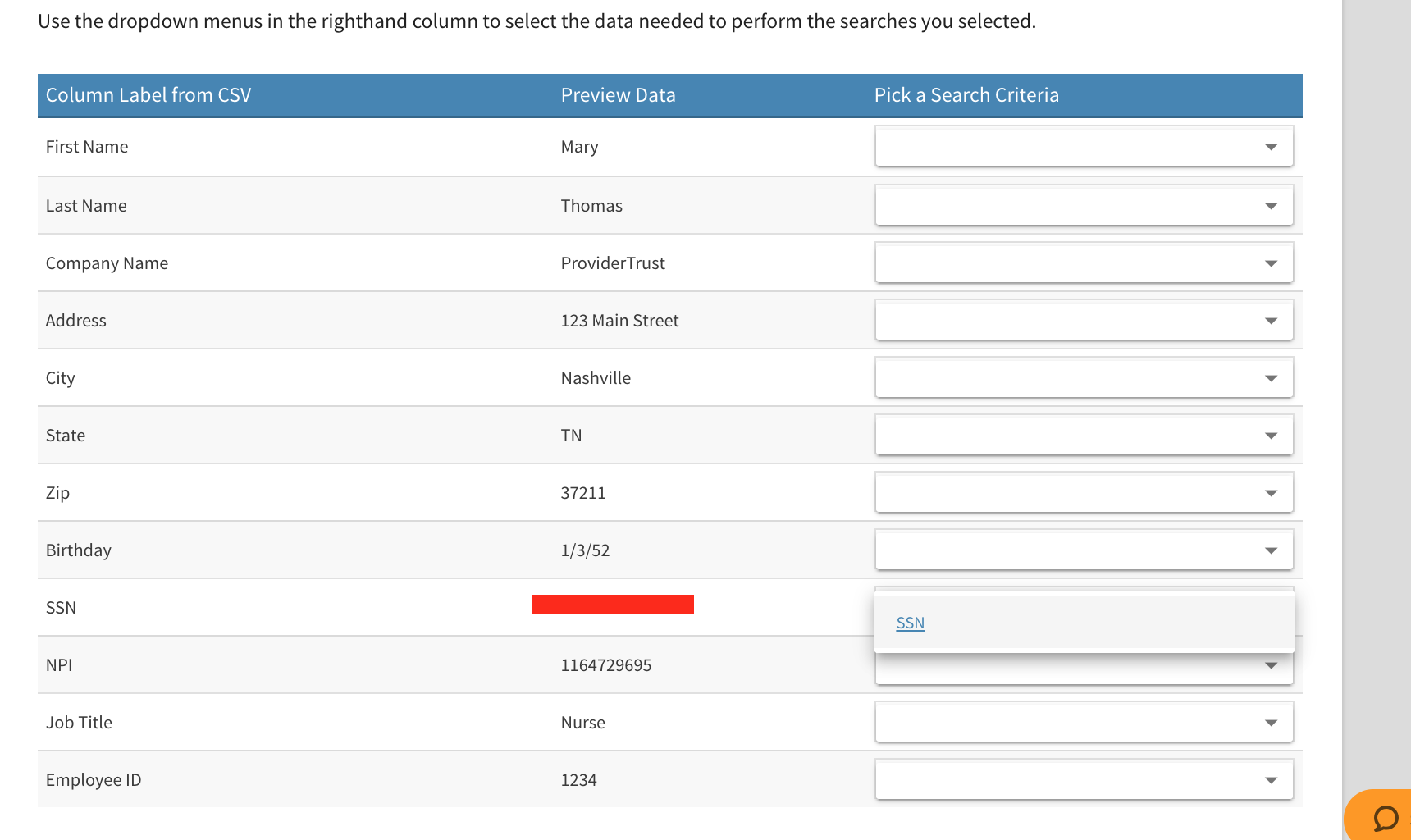
Friendly reminder, Batch Search does not restrict you to a file template or what data can be included on your search so you must always designate the columns required for your searches.
If you are only performing a search against the SSDMF, you do not need to designate a unique ID.
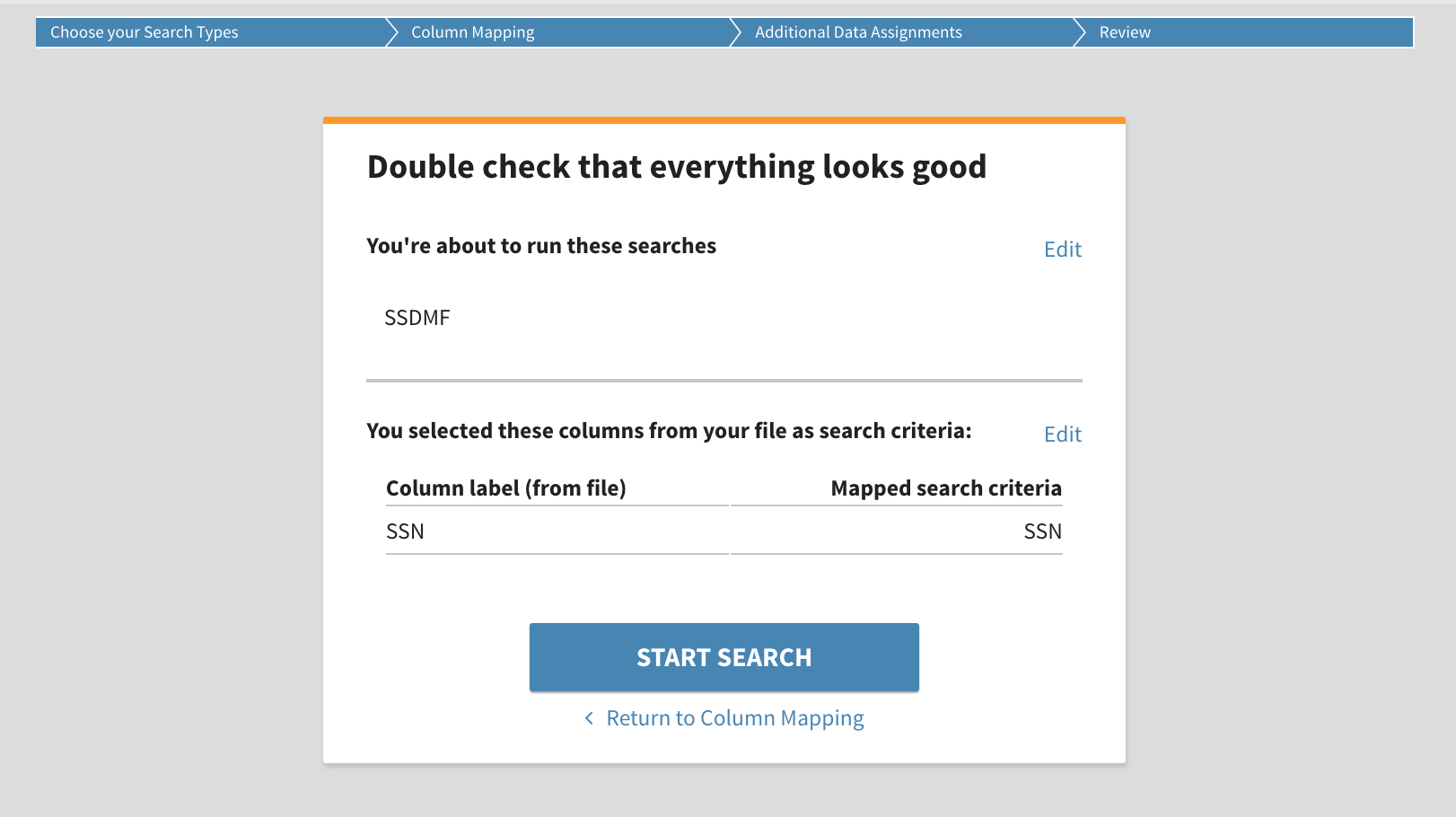
You will have one last opportunity to review your requested searches and then press Submit which will return you to the Batch Search Dashboard.
If any data in your selected column is incorrect, it will automatically prompt you to correct each line that does not have exactly nine digits.
Once you have successfully uploaded your file, it will begin processing. Depending on the size of the file, you may wait to review the results which updates in real time as it processes or you may opt to wait until you receive an email notification that the file was successfully processed.
Once it completes, when you return to the dashboard you will quickly see how many outstanding items for your review. If there are no matches to the SSDMF, you will see All Results Reviewed. If there are any matches, you'll see a count on your dashboard. Click directly on Results to Review to be taken to your list of results.
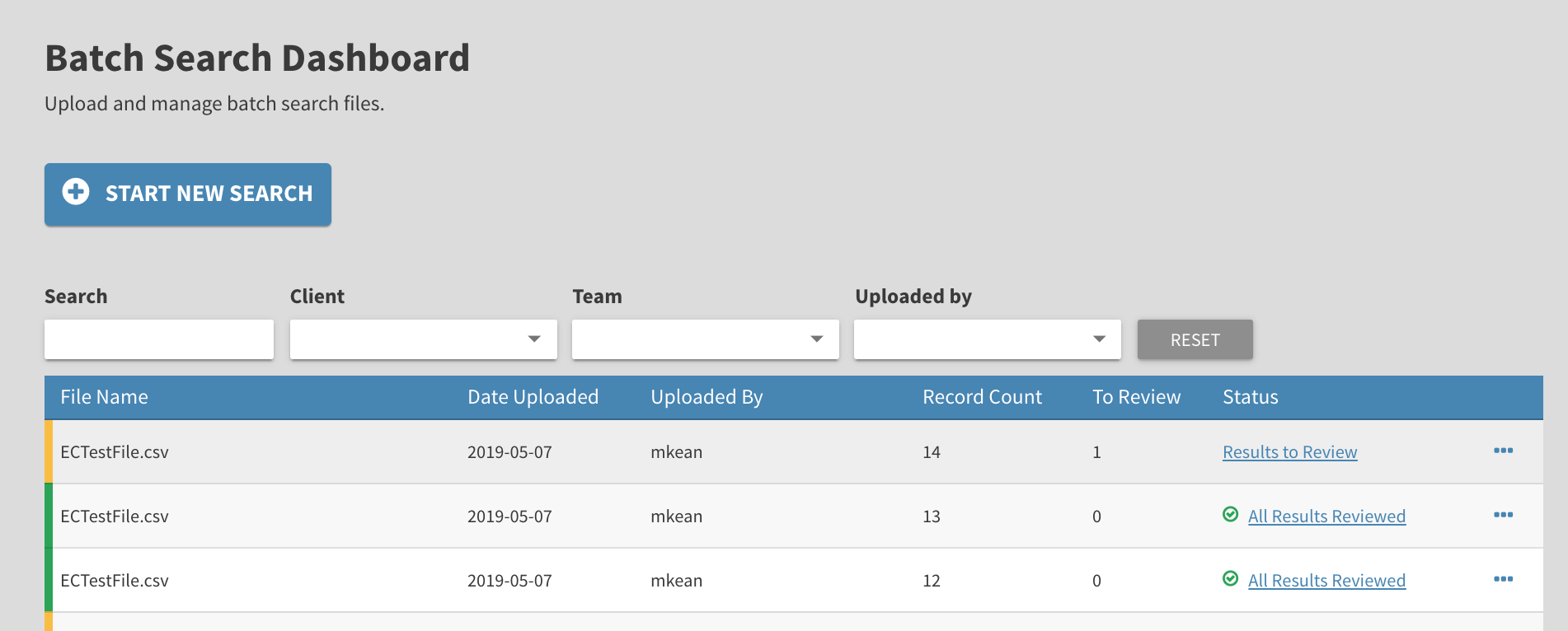
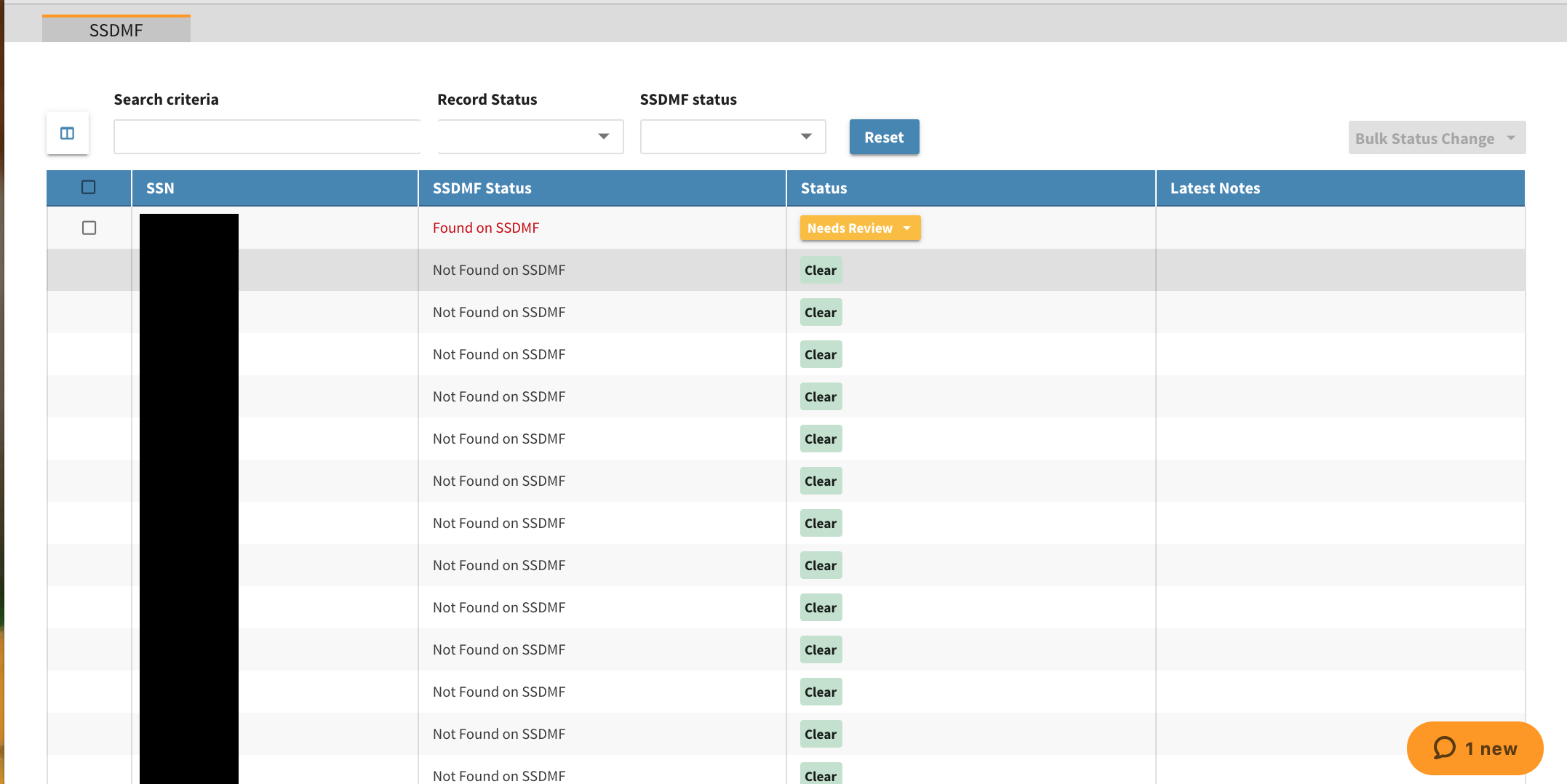
You will see a table containing all social security numbers searched and their corresponding results. If the social security number is not found on the SSDMF, it will automatically displayed as Cleared. It is important to note that we are not validating your SSN, simply that it does not belong to a deceased individual.
You can use the filters up top to search for a specific SSN, designate a record status or SSDMF status.
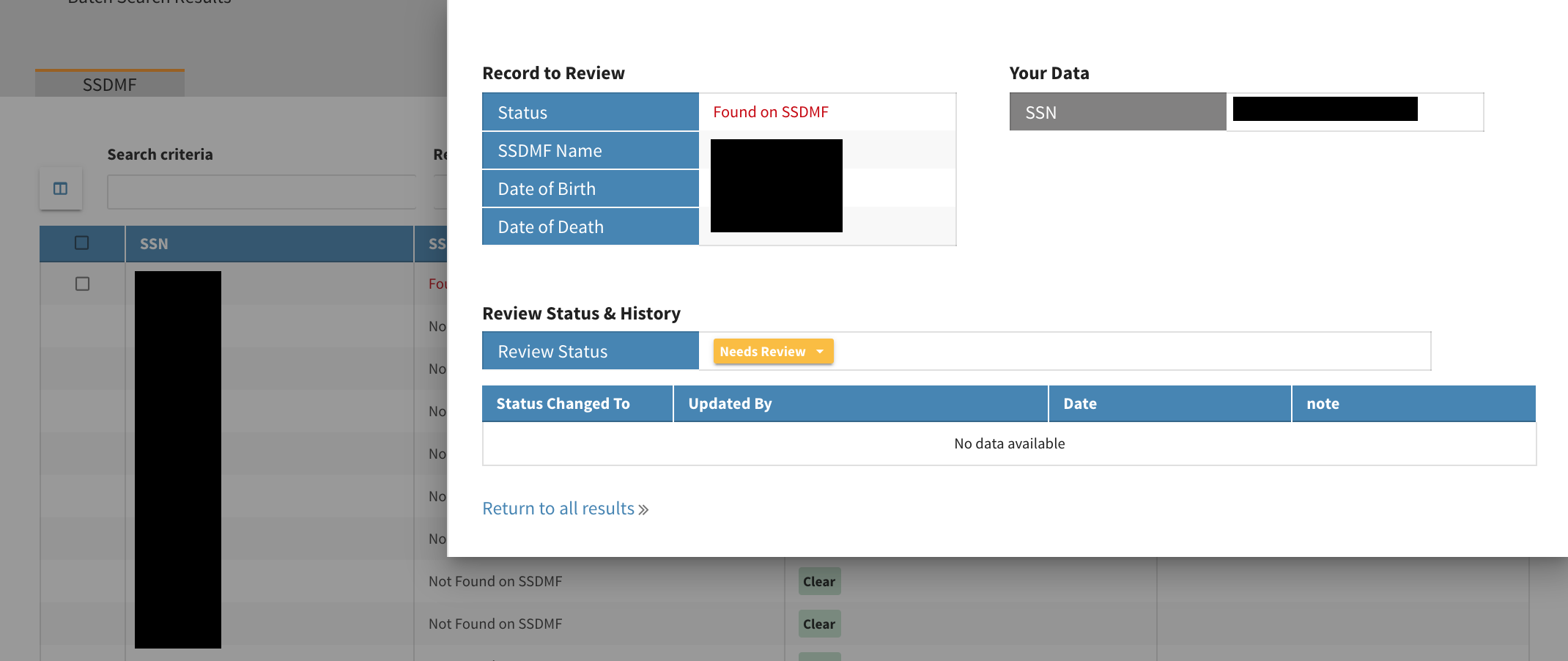
By clicking on the record that Needs Review it will display the SSN provided on the your file, the name and dates of birth and death of the deceased individual
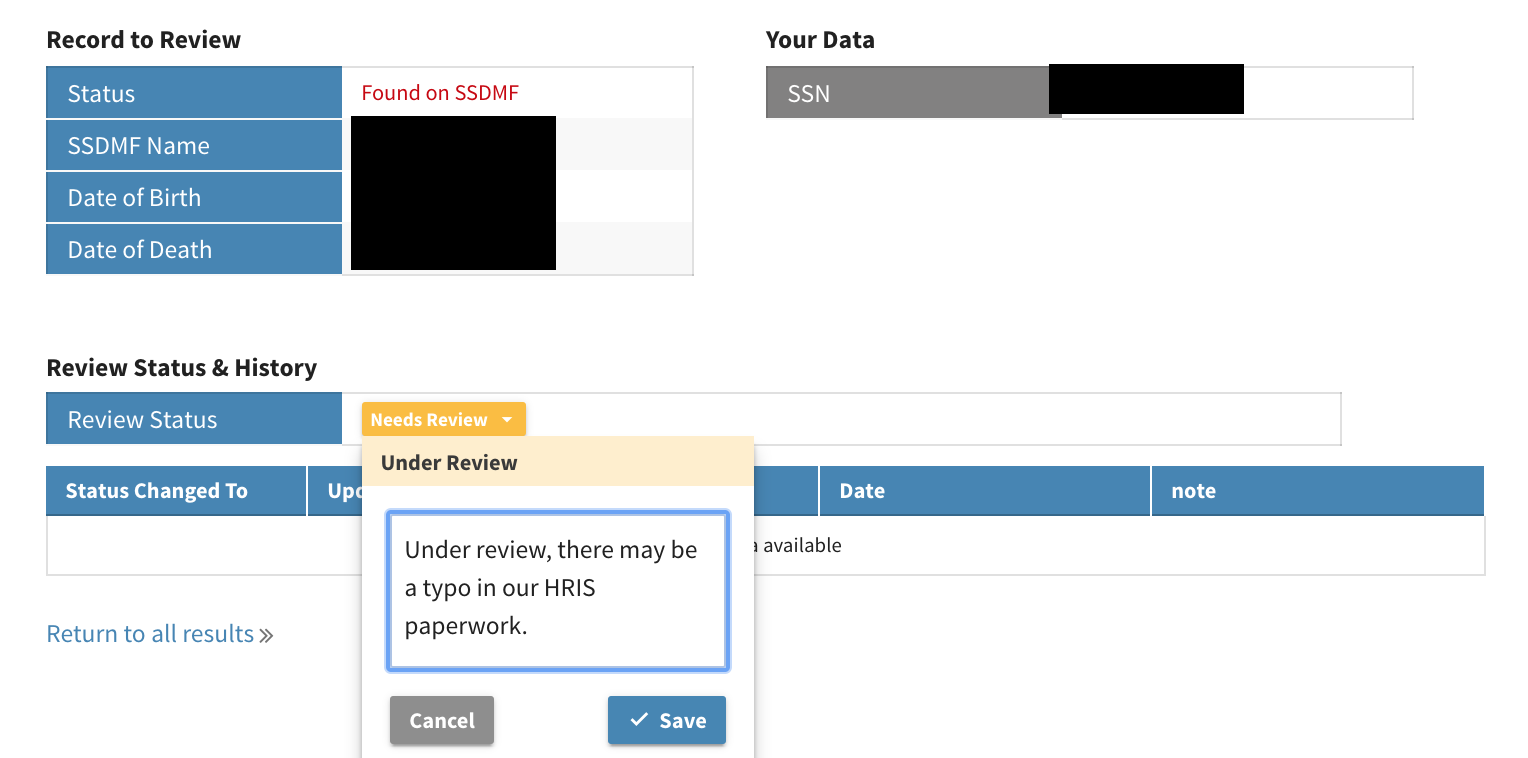
By clicking on Needs Review, you can update your review status depending on your investigation and leave any relevant notes. Pressing Save will update the result status on your results table as well.
Complete process until you've reviewed all results. You can also download reports on your searches. Read more about available reports here: New Batch Search Reports
Contact client care with any questions you have regarding your SSDMF search at support@exclusioncheck.com .
Comments
0 comments
Article is closed for comments.