
With new flexible Batch Search, you will be notified of errors before the file processes so you can correct them right away.
After you press submit, the file will quickly be scanned for any outlying errors with your data such incorrect number of digits or letters in your social security numbers or NPI.
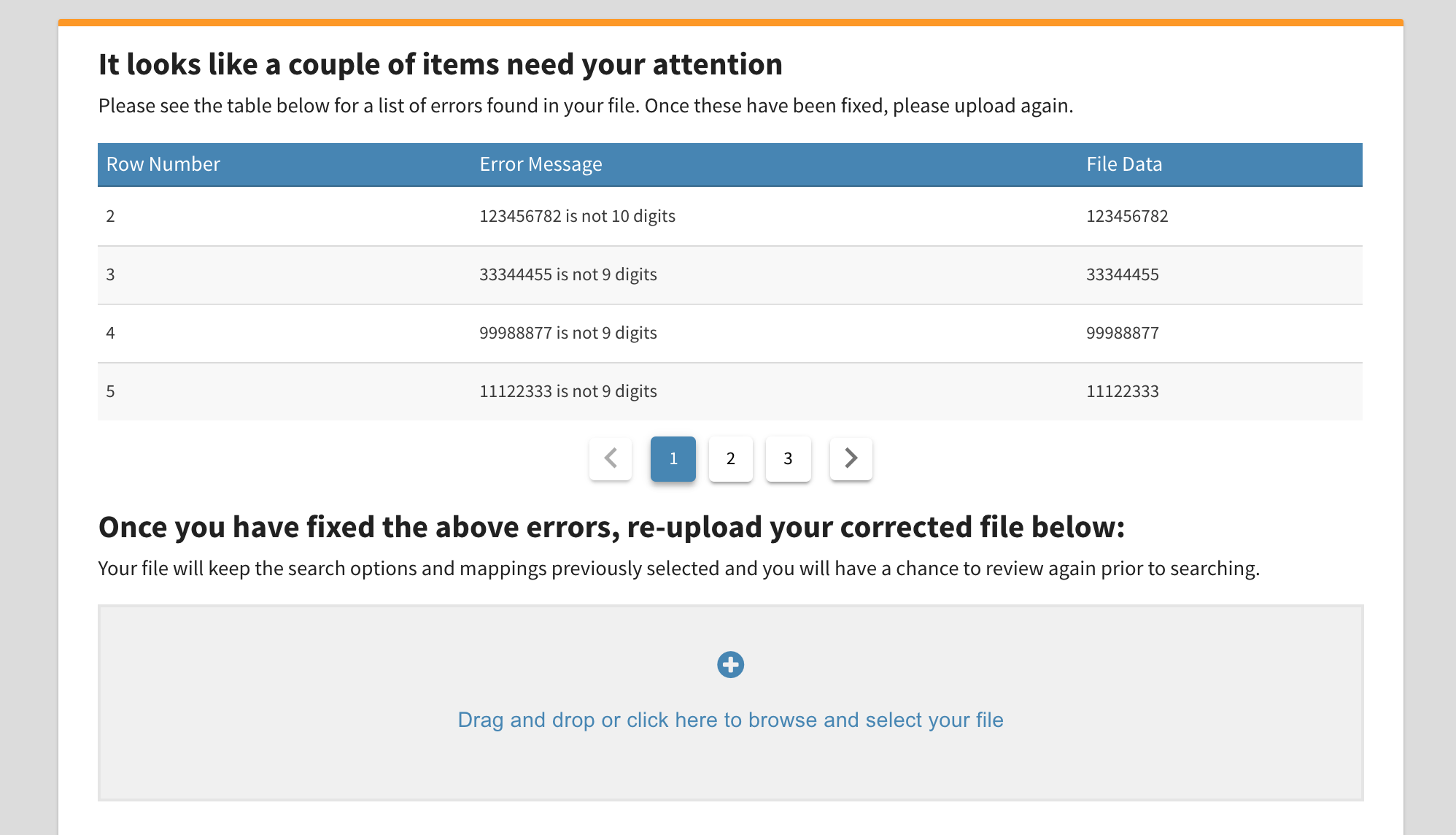
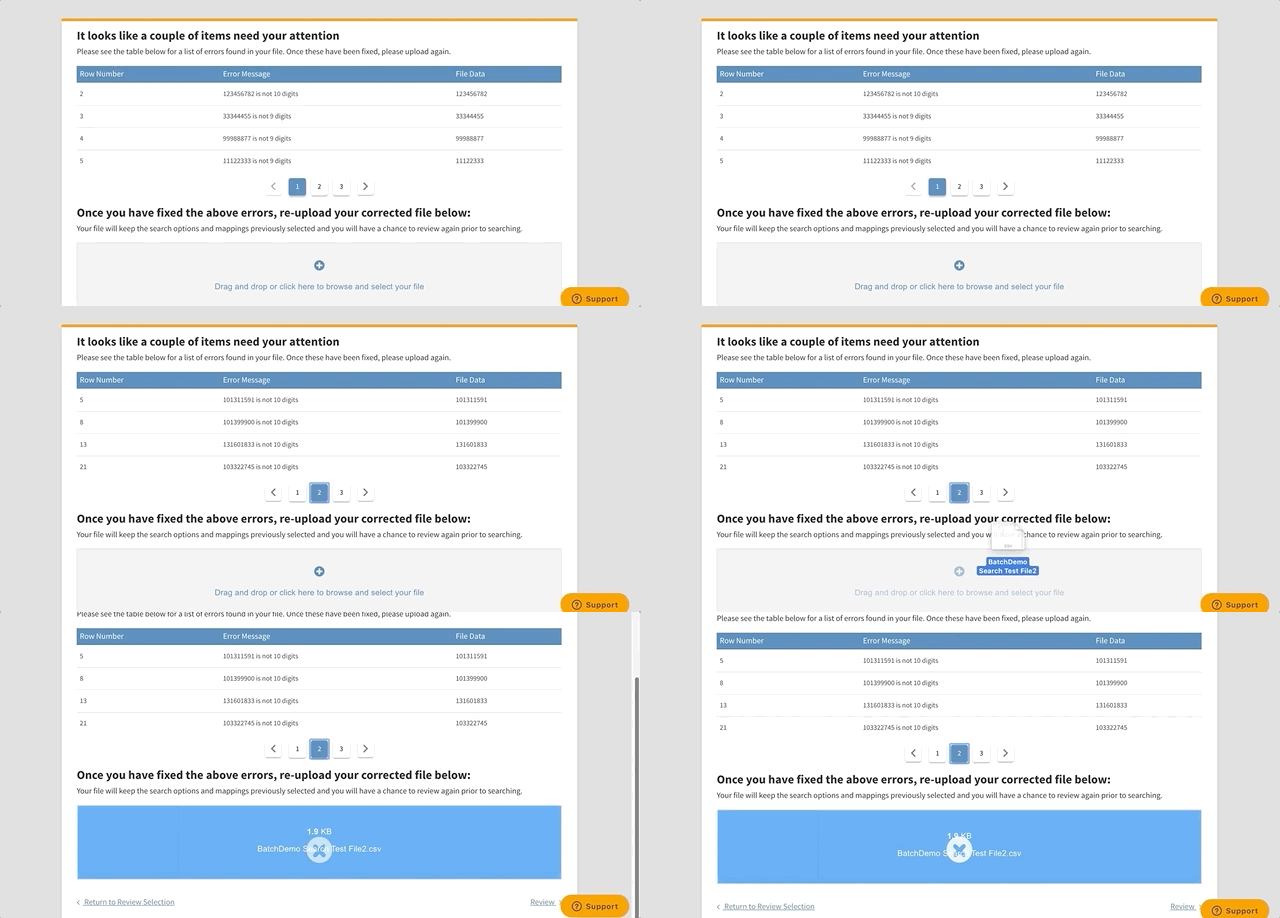
From here, you will be able to correct the errors on your file and re-upload your file for processing and Review your search criteria again before submitting.
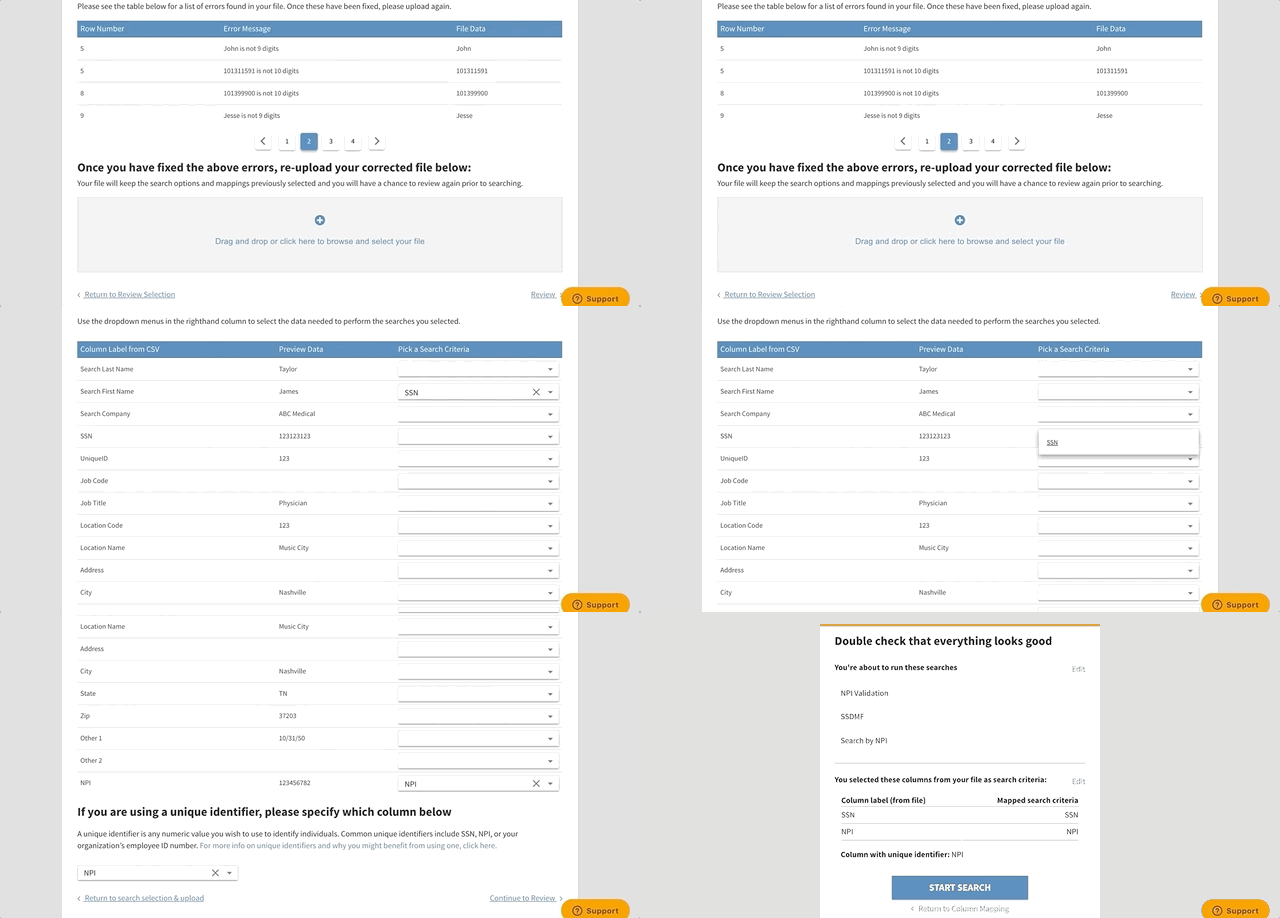
If you accidentally selected the wrong column on your file, you can click Return to Review Selection and Edit the Columns for your search criteria.
Need more support? Follow along with our Batch Search Training Video available: New Batch Search Video Walkthrough
Comments
0 comments
Article is closed for comments.