
With in the new batch search, reports are available from the search results.
First, find the search you wish to report on.
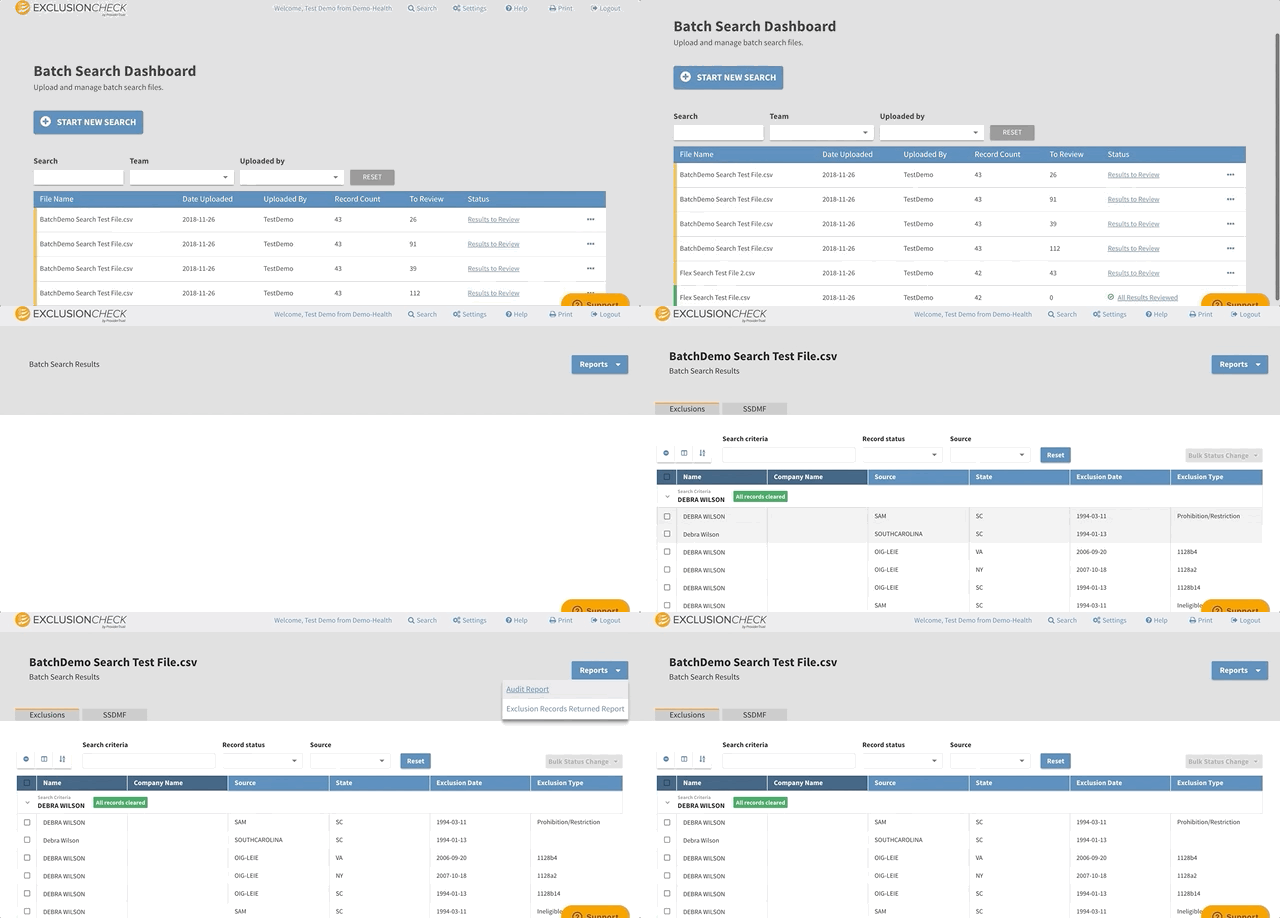
Click on Reports in the upper righthand side. You have the option to download:
Audit Report: This report includes a list of all criteria searched, results and if there are any outstanding records to review.
Exclusion Records Returned Report: This report will include a list of all potential exclusion records uncovered and your investigation findings (Needs Review, Under Review, Reviewed: Cleared, or Reviewed: Match).
Need more support? Follow along with our Batch Search Training Video available: New Batch Search Video Walkthrough
Comments
0 comments
Please sign in to leave a comment.