
After you have invited a new user to your ExclusionCheck account and they have created their username and password, as an administrator, you can provide admin access for other ExclusionCheck users.
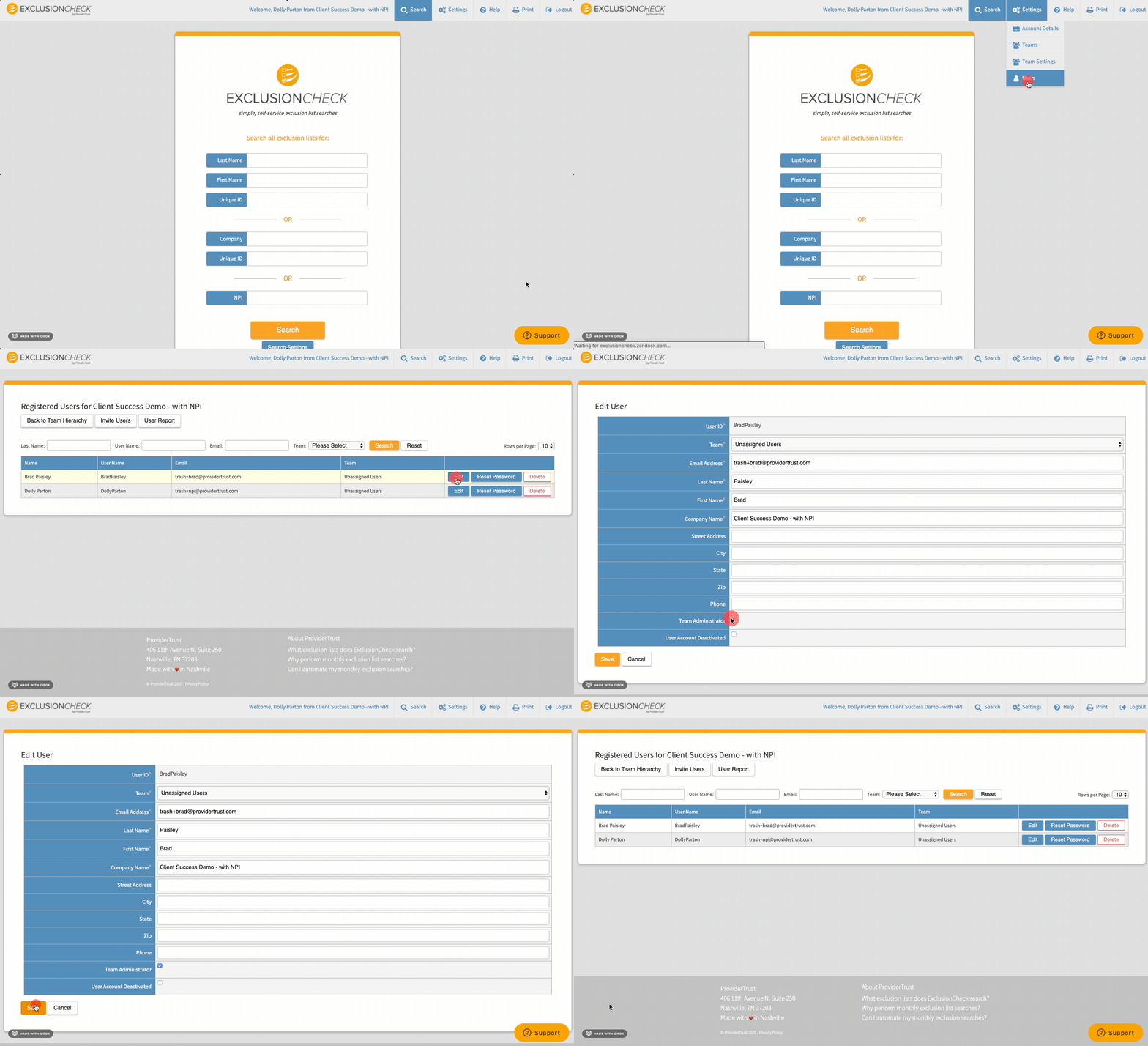
Login to ExclusionCheck > "Settings" > "Users"
Find the user you wish to grant admin privileges by reviewing the list of users or using search filters. Press "Edit."
Check box "Team Administrator." This will allow the user to add and remove any other users as well as create additional ExclusionCheck teams.
Please note that it can take up to 24 hours for administrator role changes to be reflected in ExclusionCheck.
Comments
0 comments
Article is closed for comments.