
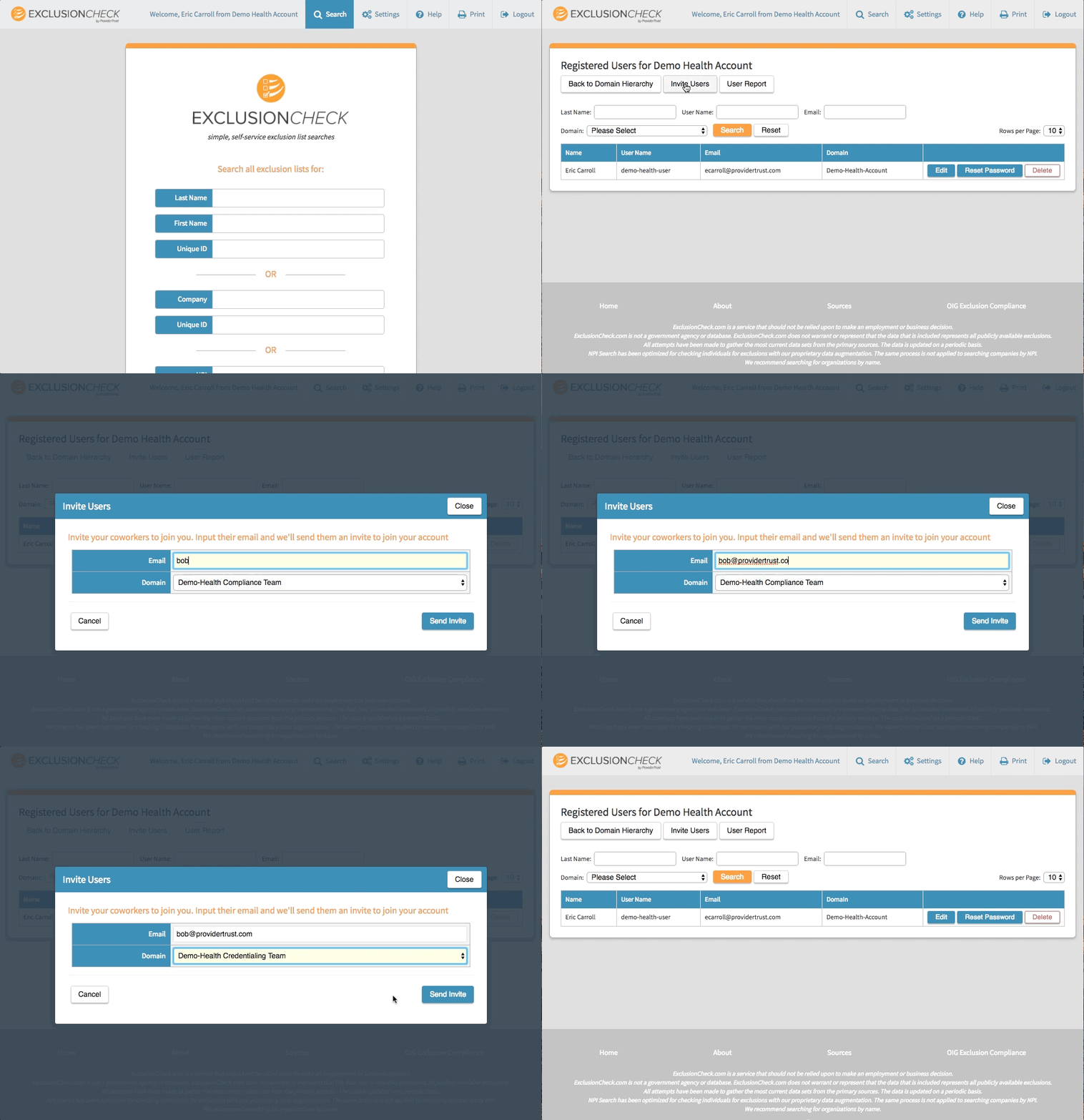
It's easy to add users to any single-team or multi-team account in ExclusionCheck. If you're an admin head to the "Users" page underneath the settings menu. On that page in the upper right is an "Invite Users" button. In the pop-up input the users email address and select the team (if a multi-team account) the user should be added to. This will the send an email to the address specified inviting them to create an account in ExclusionCheck. Once they register they will automatically be added to your account and input into the team you specified.
Comments
0 comments
Please sign in to leave a comment.