
While we hate to see you go, If you signed up your organization on ExclusionCheck.com and wish to cancel your account, you must login to ExclusionCheck and toggle to Account Details by hovering over Settings on the top menu bar.
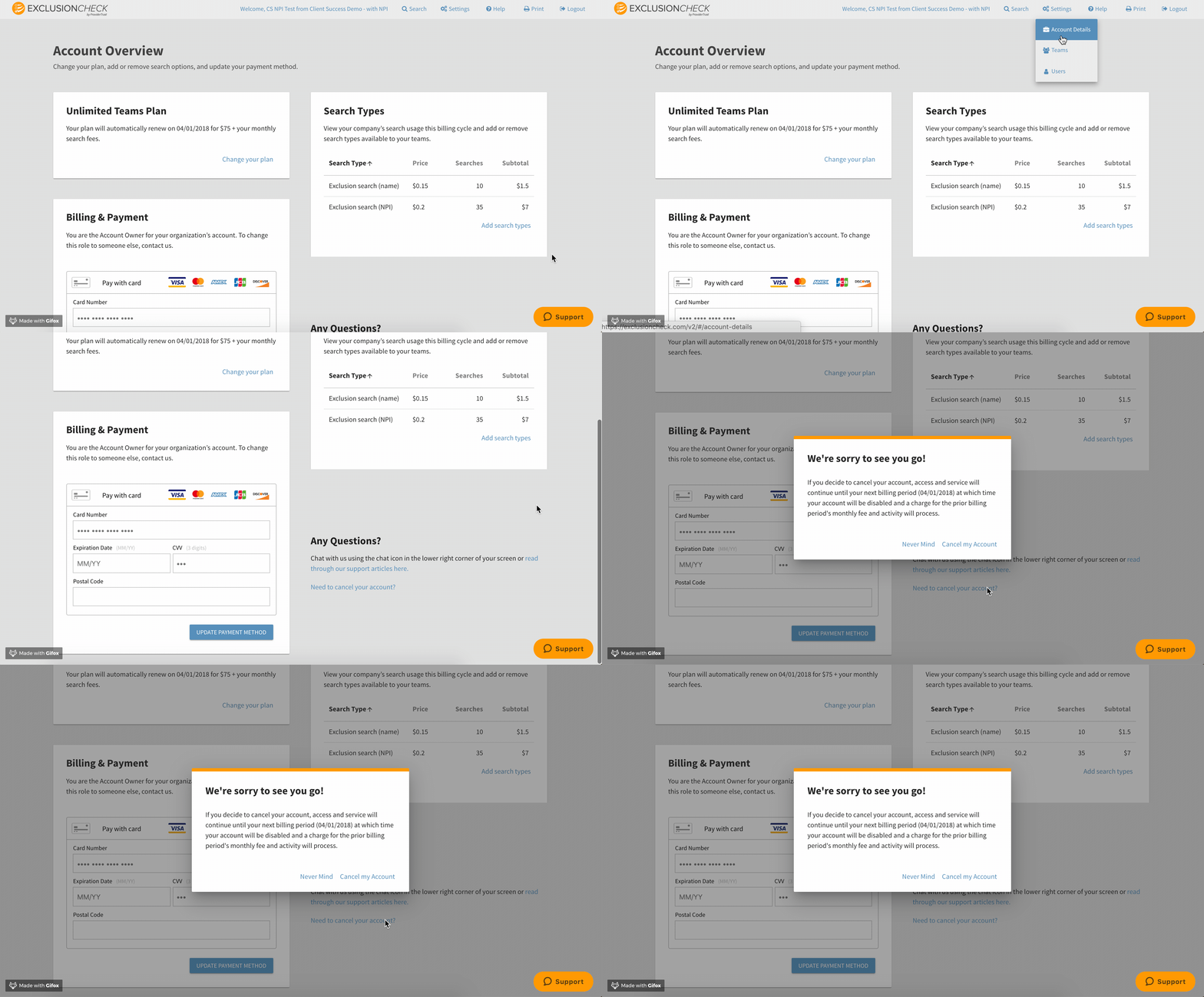
On this page, you'll be able to review all information associated with your account, update credit card and on the bottom right side you'll see a link that says "Needs to Cancel Your Account?"
When you click this link, it'll confirm the details of your termination as well as your final date of service.
Finalize the termination by clicking "Cancel Your Account." It will display the last day your account will be available.
Your account access will run through the end of your billing cycle and you will be charged the final payment at for your team fees and any searches performed during that time.
If there is anything we can do to keep your business, please reach out to support@exclusioncheck.com and we would be happy to discuss further with you.
Comments
0 comments
Article is closed for comments.