
If your organization signed up for ExclusionCheck directly on the site (rather than working with a member of the business development team), you can easily update your available search options on ExclusionCheck.com.
Login to your ExclusionCheck account, hover over Settings and select Account Details.
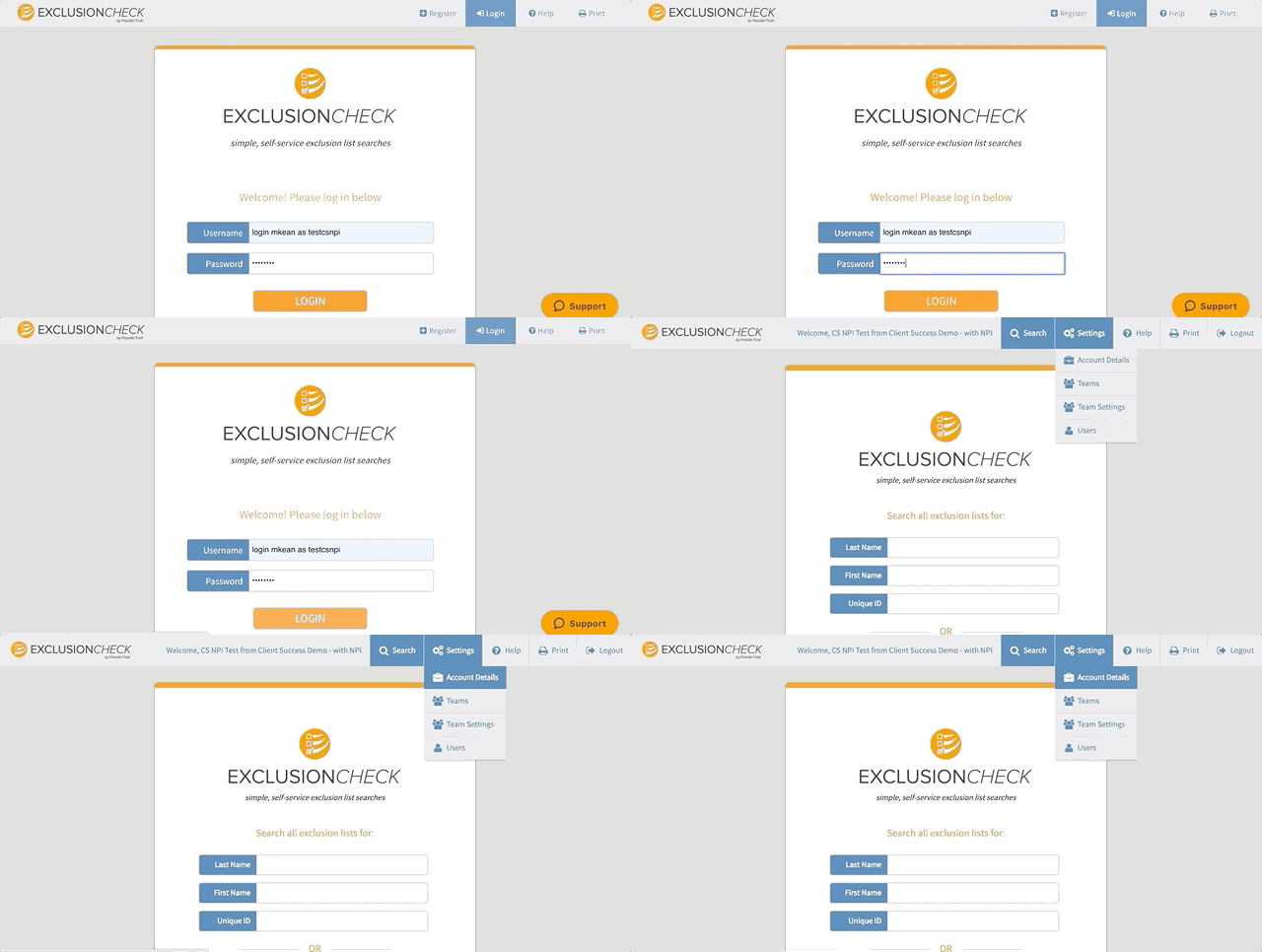
On this page you can review all of your account details or update payment methods.
On the right, you will see the search types that are currently available. Click Add Search Types to review your current options and ones you may wish to add.
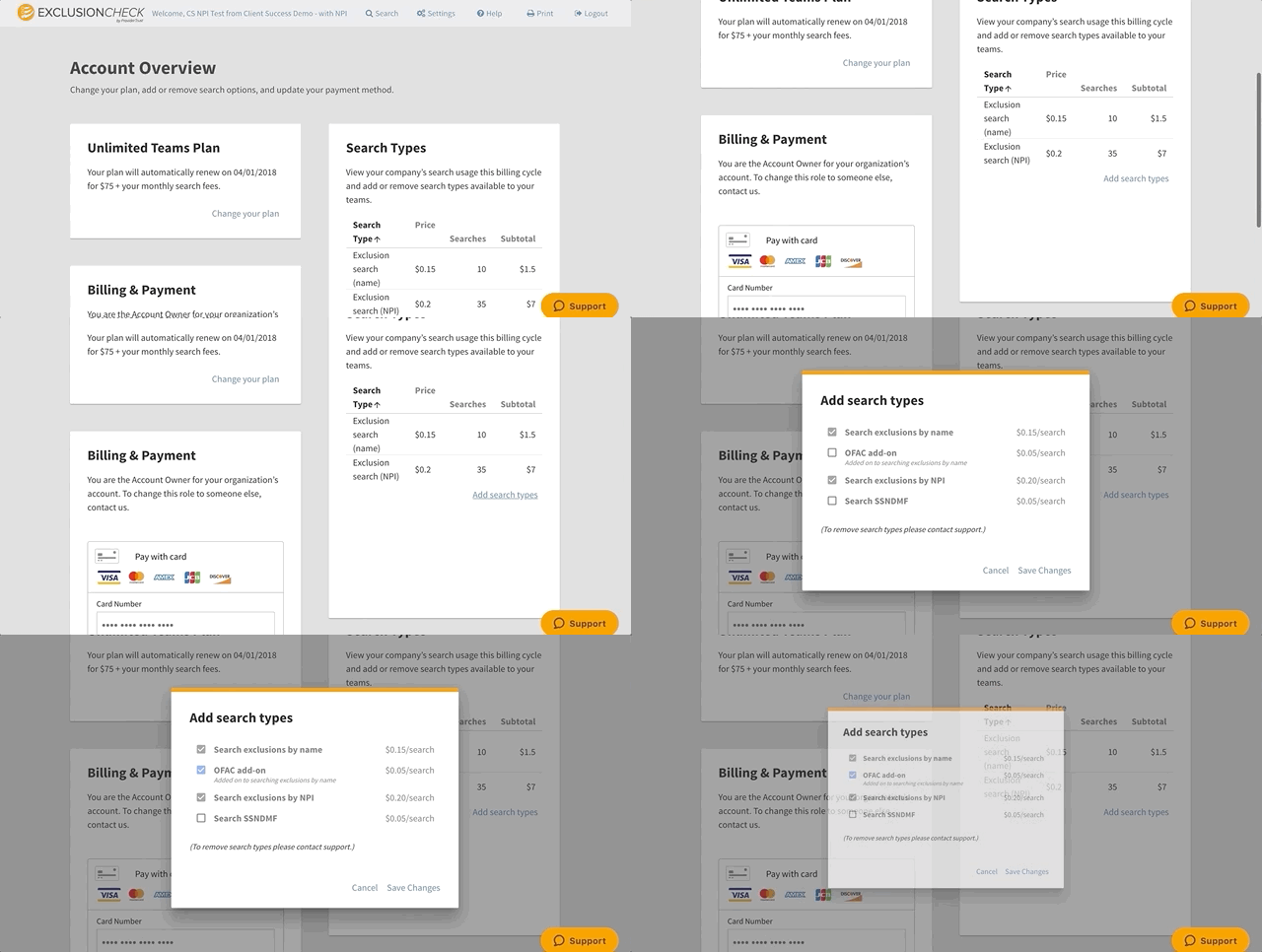
Click Save Changes and return to Batch or Interactive Search to use the new searches you've selected.
Comments
0 comments
Article is closed for comments.