
Performing a Interactive Name Search
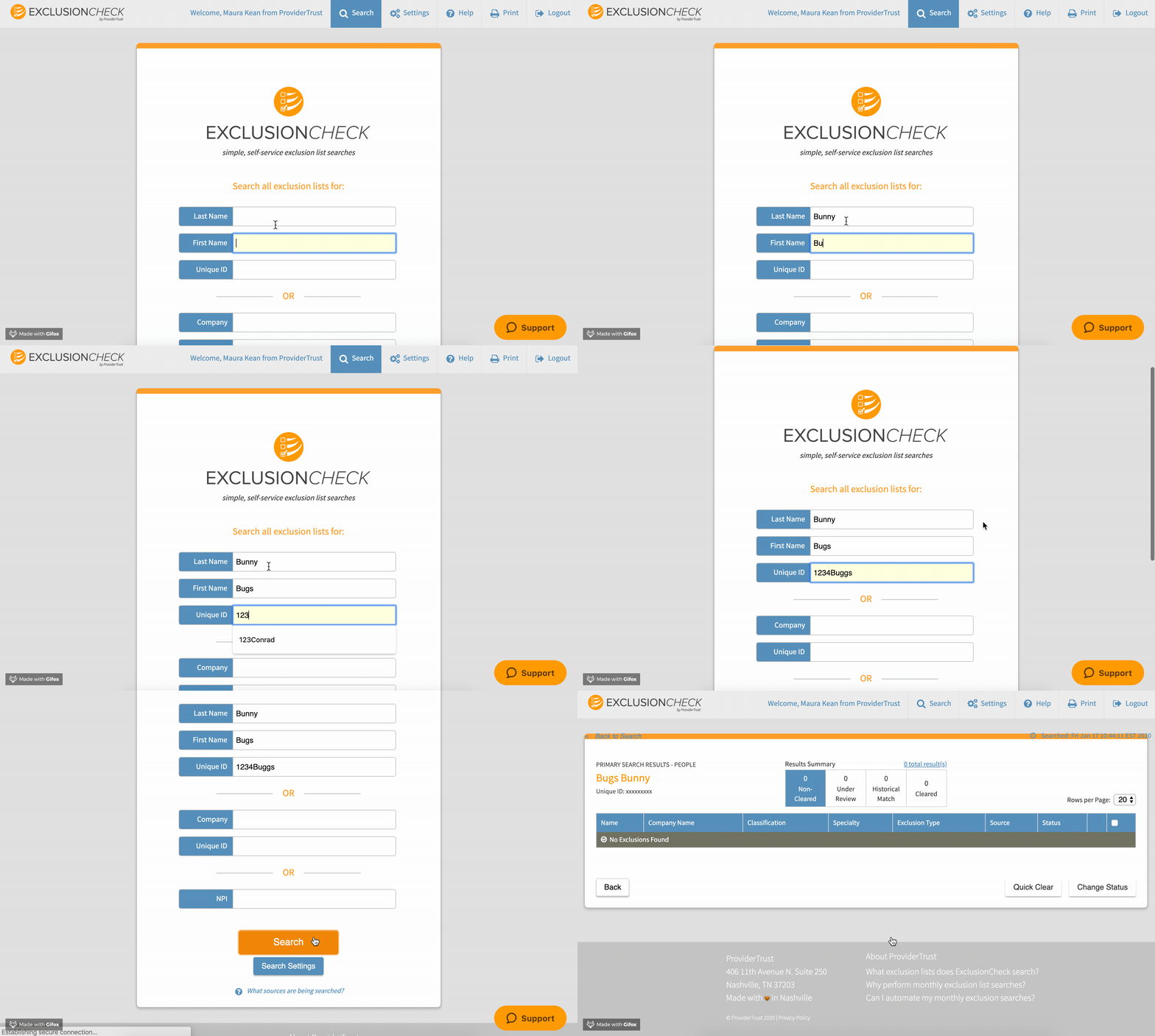
To perform an Interactive name search, begin by entering the the first and last name of the individual or company name followed by a unique id. For more information on the unique id, you can refer to: What is a Unique ID?
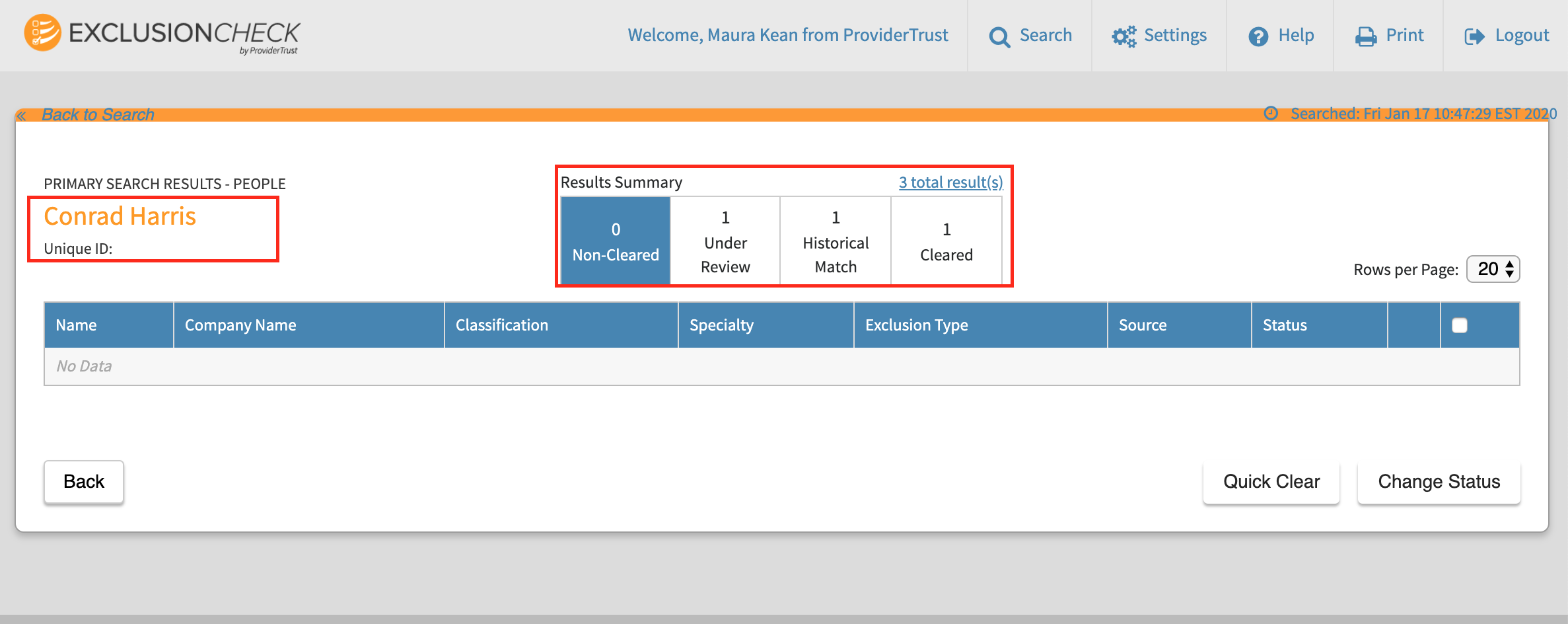
In the upper left, you'll find the type of search performed (People or Company), the name and unique id searched.
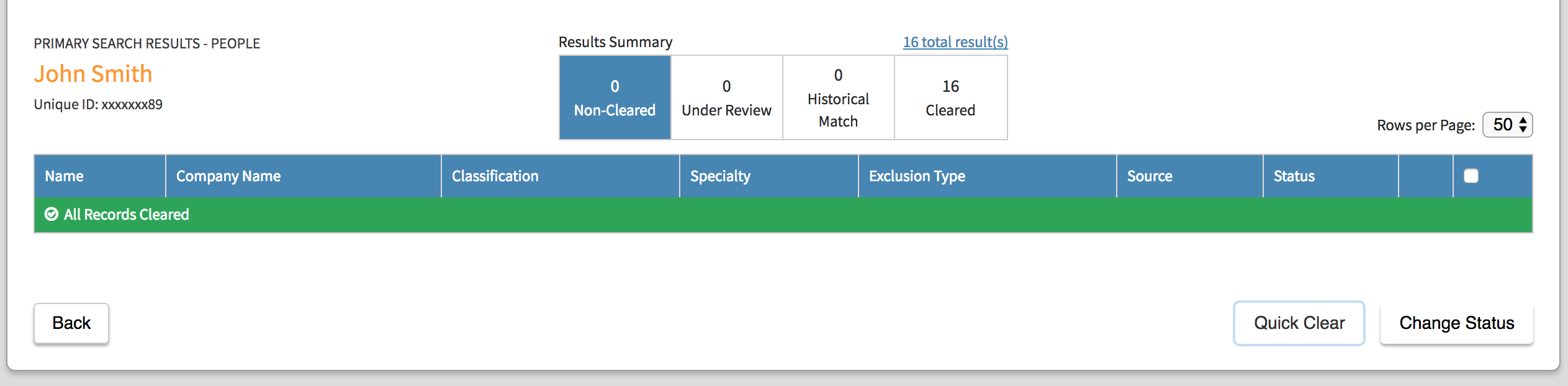
At the top and center of the page we provide a "Results Summary" which displays how many total records match your search criteria and the number that are in each status. The view will default to Non-Cleared records, but clicking in each of the corresponding status boxes will display each of the records in that status tied to the search criteria. If you have previously searched for this person or company, you will see any results you have put in Under Review, "Historical Match," or "Cleared" Status.
Reviewing Results
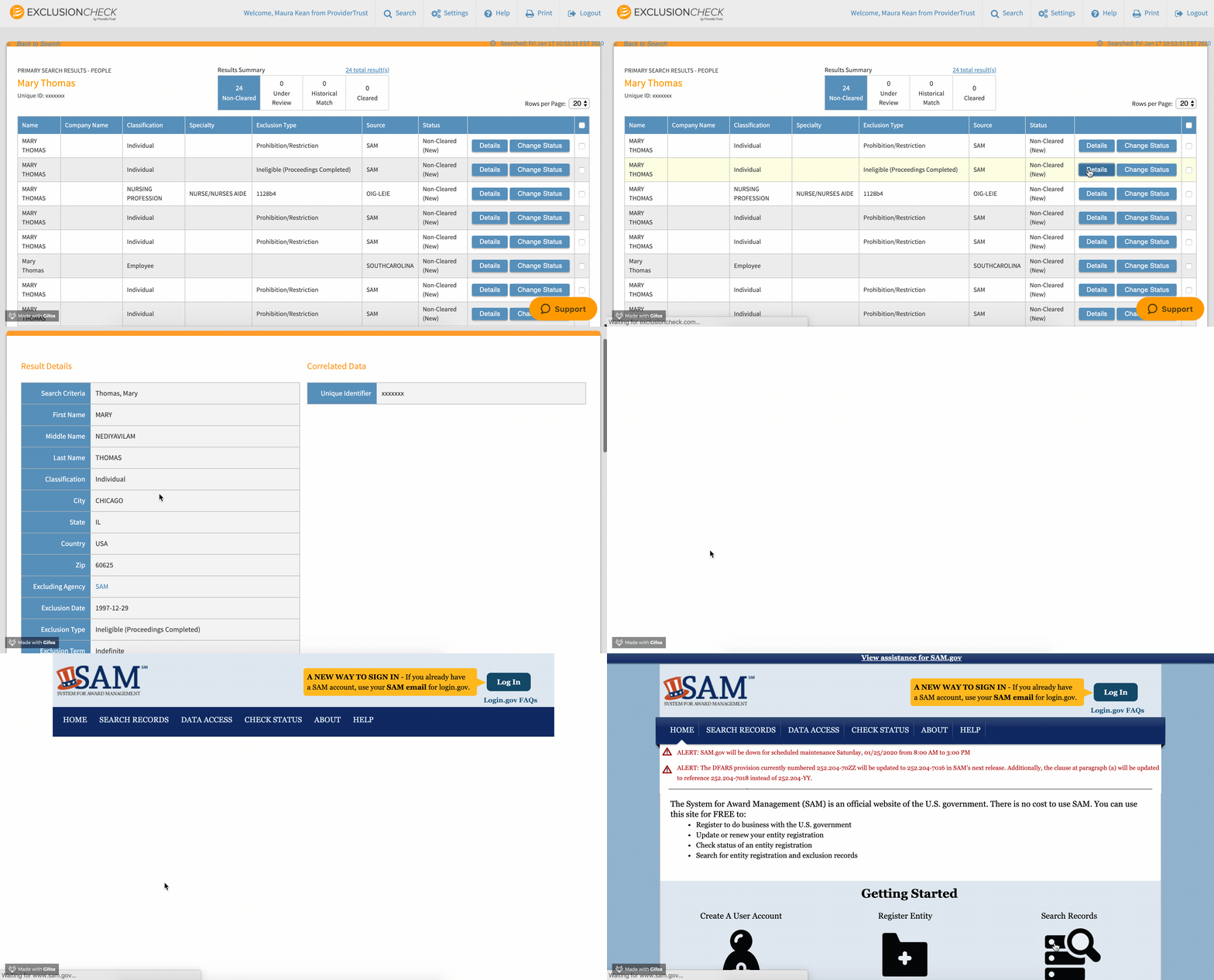
Underneath the results summary, ExclusionCheck displays the records associated with the search that are in the selected status. Clicking in to the details of a record will display all source provided information for review. There will also be a link directly to the exclusion source. By clicking the hyperlink, you can search for the exclusion directly on the public record which may provide additional validation tools such as social security number validation or address validation.
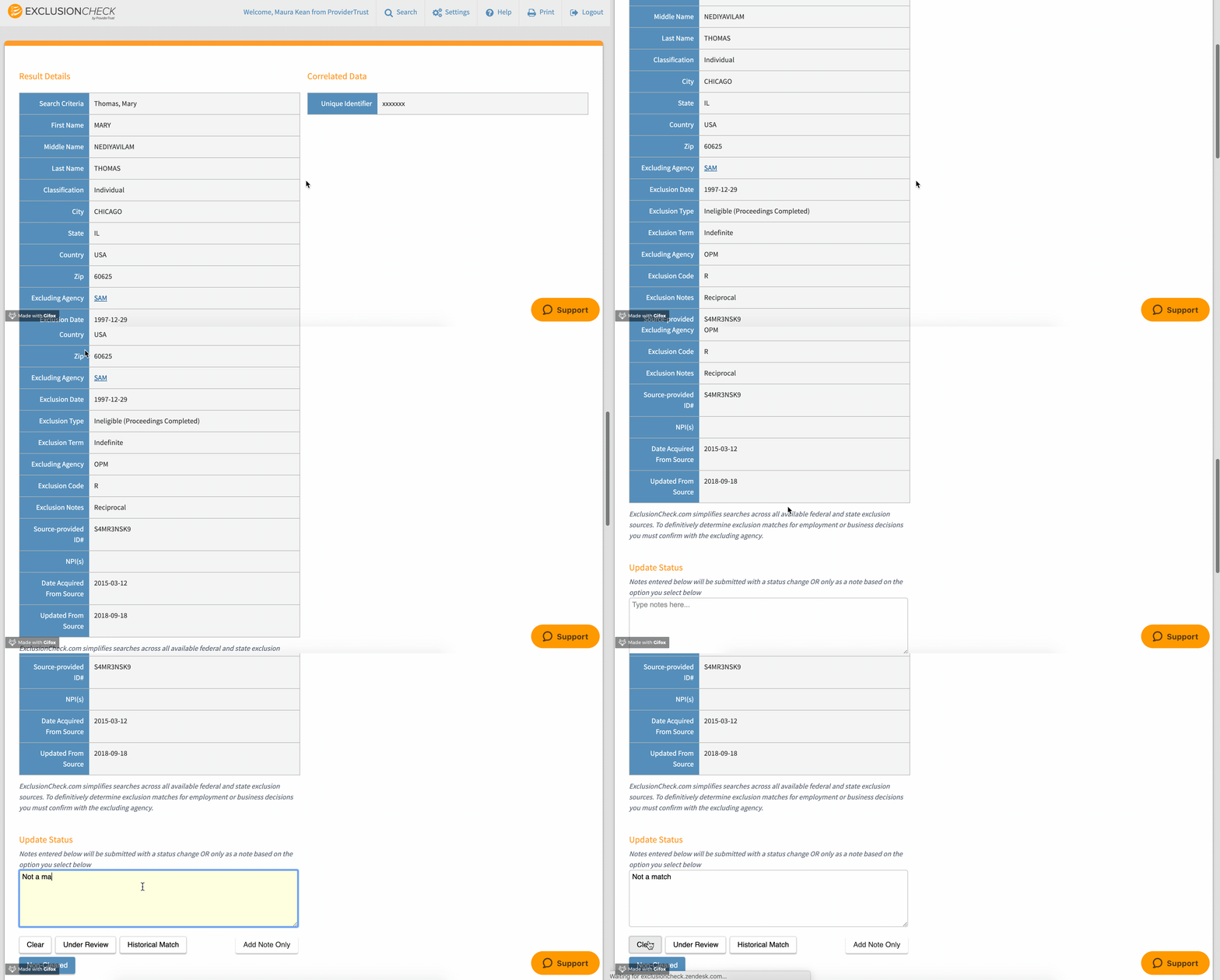
You can also make notes or change the status of records from this page as well.
If you've previously cleared all records, you will see any previously cleared results under the "Cleared" count of the Results Summary table.
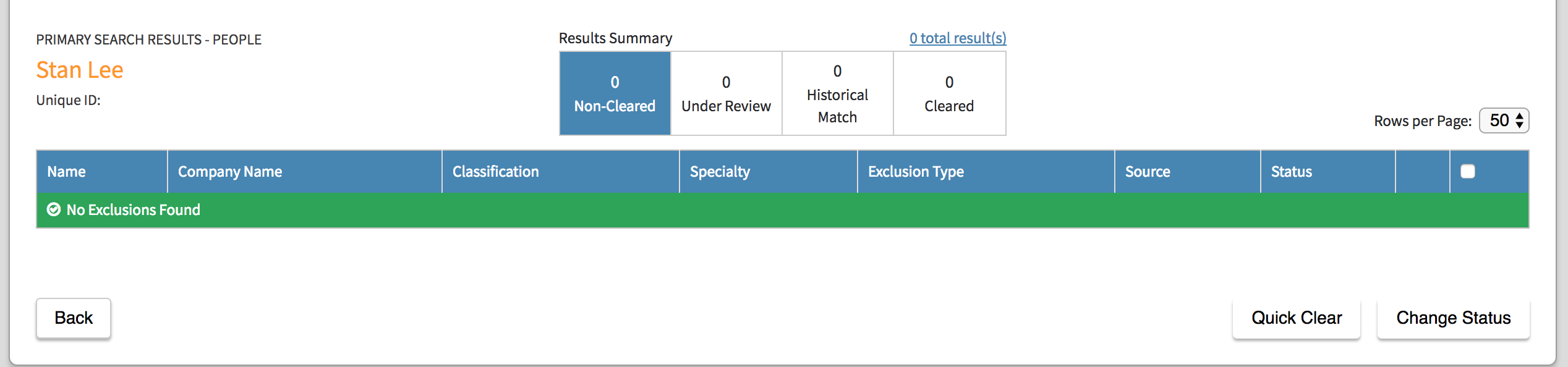
If there are no potential matches, you will see a green banner displaying "No Exclusions Found."
Comments
0 comments
Please sign in to leave a comment.