
Performing an interactive name search is an easy way to quickly review if an individual or company may be excluded.
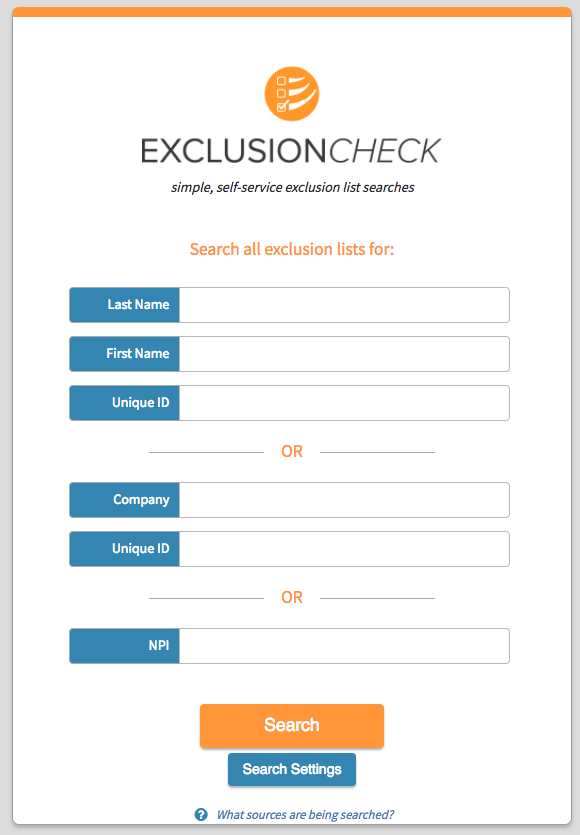
To perform an interactive search all you need to do is enter in the last and first name of an individual or the name of the company in the corresponding fields and click search. You'll then be shown any potential matching records to your search criteria.
A few things to consider when performing an interactive search are:
- Using a unique ID is strongly encouraged for all searches in ExclusionCheck. All searches and their determinations of records are saved in ExclusionCheck so that you never have to review the same record twice. Using a unique ID allows you to distinguish between two "Joe Smiths" that are employees.
- When searching individuals ExclusionCheck will search for all nicknames of your individual's name and return any results that might match. For example if you search for "Jim Brown" we'll search for any exclusions for a Jim, James, Jimmy or Jameson Brown.
- When searching individuals do not include any titles, suffixes, or middle initials. This includes "Jr", "III", "Dr.", "MD" and so on. Only search with the first and last name. When returning records ExclusionCheck ignores any titles, suffixes, or middle initials that may be found in the excluding records and only returns matches to the first and last name.
- When searching companies we encourage you to remove all suffixes from a company name like "llc", "co.", and "inc.". Similar to how ExclusionCheck handles suffixes for individuals names, ExclusionCheck ignores all common business suffixes found in an excluding record. (For example, if a company called "Medical Supply, Inc" is listed on the exclusion record searching "Medical Supply" will return that corresponding record. However searching "Medical Supply Incorporated" will not return the record for "Medical Supply, Inc.")
Comments
0 comments
Please sign in to leave a comment.