
Please note: ExclusionCheck Name and NPI Batch options have been replaced with New Batch Flexible Search. While you may continue using the older versions of NPI and Name Batch, they will not be receiving any further development. We encourage you to transition your existing batch searches to New Batch for an improved user experience. Visit our Help Center to learn more about our New Batch Search Functionality: How to Guide: New Batch Search
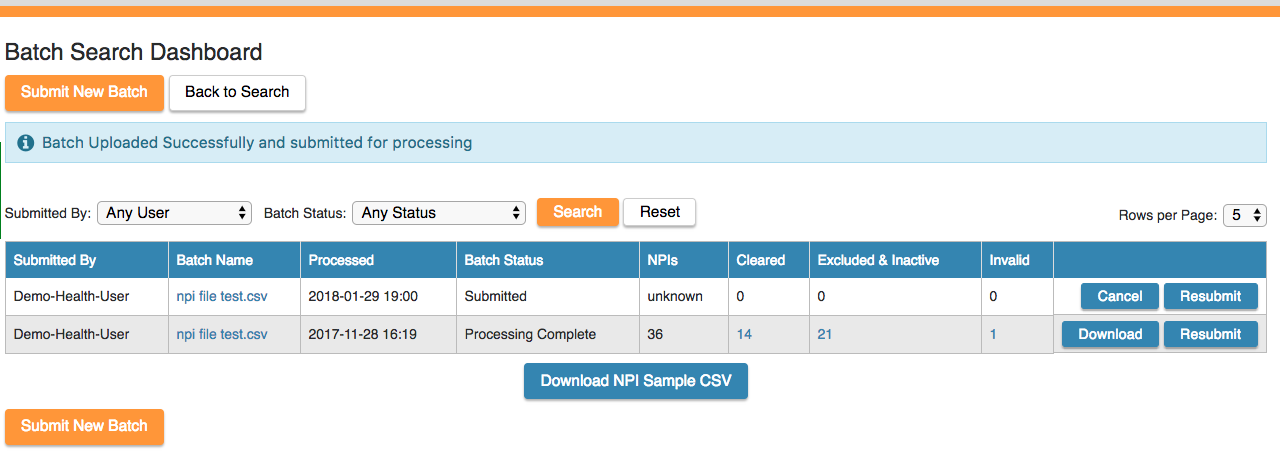
To search many NPIs at once you'll want to upload a batch file. To do this head to "Batch NPI Search" and download the NPI Sample CSV.

Open the CSV and under the header in cell A1, input the NPIs you'd like to search beginning in cell A2, and then save the file.
To upload the file select "Submit New Batch", choose the file you just saved, then select upload batch. You'll see a new row with your file name created with a "Submitted" status. Depending on the size of your file it may take a few seconds to a few minutes to finish processing. Once it's complete you'll get an email letting you know that it's finished and you can then view your results.
Comments
0 comments
Please sign in to leave a comment.